

PIN-UP Partners – direct advertiser and affiliate program of the PIN-UP iGaming products | 10+ GEOS | CPA up to $200 | Revshare up to 50%

Guide šŸŸ¢ How to Start With PropellerAds Traffic Source?

dood

šŸš€
Staff Member
Community Leader
RevShare
Joined
May 2, 2018
Messages
4,610
Since the introduction of the Peak Awards, PropellerAds has won the Top Traffic Source award every year - for five consecutive years. That’s pretty impressive.


It’s also one of the most popular traffic sources among the Afflift community, with an average rating of 4.5 out of 5.
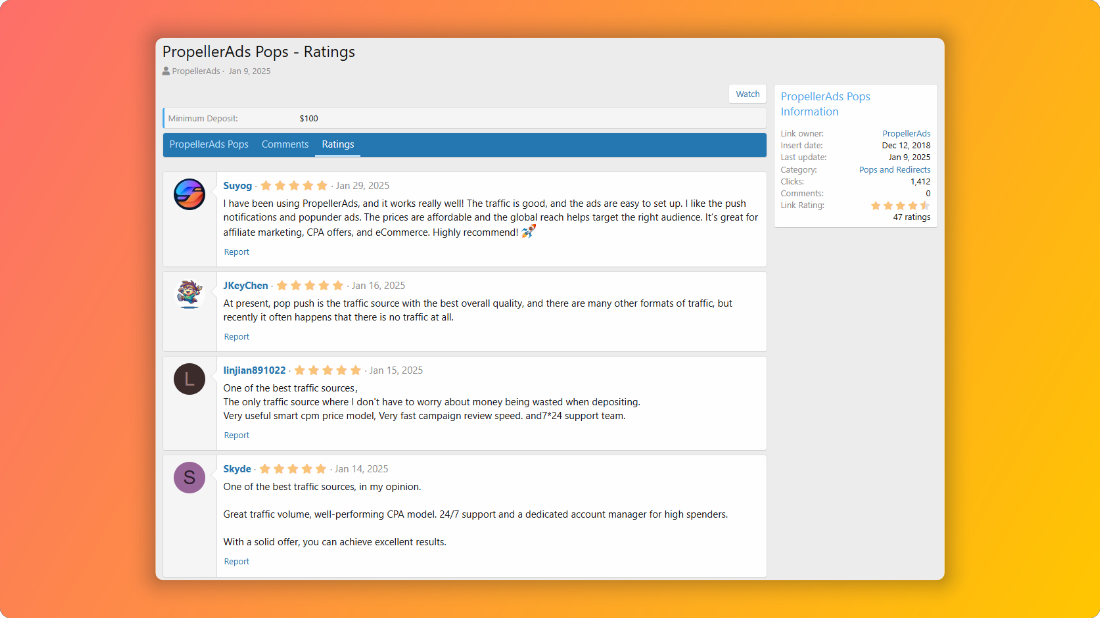


PropellerAds was founded in 2011, so they’ve been on the market for almost 15 years now. They are located in Cyprus.

They offer 6 different ad formats:
They offer 5 different pricing models:
  • CPM
  • SmartCPM
  • CPC
  • SmartCPC
  • and CPA Goal
The last thing I’d like to mention in this post are the payment methods. They offer 9 different payment methods which you can use to top-up your account:
  • Debit and credit cards (Visa, MasterCard, American Express);
  • Wire Transfer
  • PayPal
  • UnionPay
  • Skrill
  • Ebanx
  • Pix
  • Volet
  • Coinspaid
The minimum deposit for all payment methods is $100, except for Wire transfers where the minimum deposit is set at $1000.

So, maybe it’s time I do another big guide - this time for PropellerAds? šŸš€

QUICK NAVIGATION

 
Last edited:
ProfitOn

How to Register on PropellerAds​

The first thing you need to do is to create a new account!

Visit the Sign up page, and select the Advertiser account type:


Fill out this simple form:


And you should be good to go!


šŸ’” TIP: Don’t forget to enter the correct details in the Messenger field, so people from PropellerAds can contact you.
 
Last edited:
I instinctively checked the posting time and made sure I wasn't mistaken.
 

Main Dashboard​

While you are waiting for your KYC to be completed, let’s take a look at the main dashboard.


In the left menu we have the following pages:
  • Statistics - the page you are currently looking at.
  • Traffic Chart - shows the available volumes per ad format, country, etc.
  • Audiences - a page where you can manage your audiences.
  • Tracking - use this page to test your postback settings.
  • Finance - you can make deposits from this page and check your recent payments.
  • Add Funds - you can also make a deposit from this page. Shows the available payment methods.
  • Extra monetization - explains how you can earn more money by placing Propush code on your landing pages.
  • Insights - you can find some useful help articles here along with some case studies.
  • Help Center - open the help articles for an advertiser account
  • Special Offers - different discounts are listed here, and 20% discount for Afflift members ship among them!
  • Propeller Priority - shows the available levels for PropellerAds advertiser accounts and the benefits you get with them. For example, API is available for all levels, but to get API access for Green account level, you’ll need to spend $100 first.
And then in the top navigation you should see the following:
  • Ad for mobile app
  • Create campaign button
  • Your current balance and spend chart (per day) for the last 7 days
  • Your account manager info
  • Current timezone
  • Selected language
  • Notifications
  • What’s new panel
  • My profile menu
And the statistics are shown in the middle of the page. I’ll explain them in a separate post.

In this guide I’ll try to explain every page.


šŸ’” TIP: Get to know with this page - you’ll probably spent most of the time here, managing your campaigns (and hitting that reload button).
 

Traffic Chart​

Let’s see how much traffic PropellerAds can offer! The Traffic Chart page looks something like this:


For example, PropellerAds claim they have around 500,000,000 impressions daily for the Popunder format. And if you try to sum all the impressions found under the Total Impressions column, you’ll see that number is even higher than 500 000 000. Impressive.

Let’s take a look at the filters that are available.
  1. Ad format - You can check the volumes for 4 different ad formats:
    1. Onclick
    2. Push Notifications
    3. Survey Exit
    4. Telegram Ads
  2. Country - You can pick multiple countries from this menu. There are more than 100 countries available here.
  3. Platforms - you can choose All platforms or pick between Desktop or Mobile
  4. OS - depending on what you’ve picked under Platforms, you’ll see a list of available operating systems here (ie. Windows for Desktop, or Android for Mobile)
  5. Connection type - by default, all types is selected, but you can pick between 3G / LTE (which actually means mobile carrier traffic) or WIFI traffic
In some cases, depending on the ad format you’ve picked, the layout of these filters can change. If you for example choose Interstitial, then you’ll see something like this:


As you can see, you can change the main table to show impressions or clicks:


By default, the main table will show data per country. You will see the number of available impressions (or clicks), Max CPM (or CPC) rate and Optimal CPM (or CPC) rate.


Ever wondered how much money traffic sources are earning?


How to check the available volumes for In-Page Push notifications?​

Did you notice how the in-page push format is missing from the traffic chart? There is a simple way you can check the available traffic for each ad format, by using the Create campaign form.

Click on the Create Campaign button, and pick Push Notifications as Advertising Format and then In-Page Push under Push Notification Types. You can also pick CPC as a pricing model.


You’ll notice a ā€œTotal traffic available for the last 24 hoursā€ chart on the right side. As you change your targeting options, the numbers in the chart will also be updated.


šŸ’” TIP: Keep in mind that the Traffic Chart shows approximate data, based on yesterday's traffic activity.
 
Last edited:

Adding Funds to Your PropellerAds Account​

Currently, there are 7 available payment methods available with PropellerAds:
  • Bank Card - minimum deposit is set to $100, and the fees are usually around 4%. Once you make a payment, the money should be visible in your account immediately.
  • UnionPay - minimum deposit is set to $100, and the fees are usually around 3.9%. Once you make a payment, the money should be visible in your account immediately.
  • Wire Transfer - minimum deposit is set to $1,000.00 (or 1000€). Money will be added to your balance in 5-7 working days after payment.
Different bank fees may apply here.
  • PayPal - minimum deposit is set to $100, and the fees are usually between 3-5%. Once you make a payment, the money should be visible in your account immediately.
  • Volet (ex. AdvCash) - You’ll need to submit a ticket to enable this payment method. KYC documentation may be requested.
  • Coins Paid - minimum deposit is set to $180. This is a crypto payment method.
Once you make a payment, you can hop to the Finance page, and you should be able to see your most recent payments there.


You can also check your expenses here and find the invoices you might need for your accounting if you signed up as a company.


šŸ’” TIP: The minimum deposit with PropellerAds is $100 (for most payment methods).
 

Popunder Ads​

This is the ad format with the most volume on PropellerAds. If you take a look at the traffic chart, you’ll notice there are almost 100 000 000 impressions available daily just in India!


And if we take a look at the whole chart, it easily adds up to almost 500 000 000 daily impressions.

According by PropellerAds site, Popunder ads work best for these verticals:
  • Mobile Apps
  • eCommerce
  • Finance
  • Lead generations
  • Software
When it comes to available bidding models, you can pick between 3 bidding models for Popunder ads:
  • CPA Goal
  • SmartCPM
  • and CPM
There are also 3 different traffic types available for Popunder ads:
  • Websites - this is the traffic that comes from regular websites. When a visitor clicks on a website, a new tab (popup) opens with your landing page.
  • Direct Click - traffic comes from top converting zones providing direct visits to your offer. Direct Click traffic is usually more expensive, but can show good results.
  • Social Traffic - traffic comes from ad zones that generate traffic from social networks like Facebook and Instagram.
Here is an example of how ads are shown for Websites traffic type:


As you can see, once the visitor clicks on the main site, your ad (landing page) is opened in a new tab (popup).

Btw, did you know @Luke developed a website that is actually a database of websites in PropellerAds networks? Here is the link:


If you want to know more about this, you can check out this guide:


While you don’t need any creatives for this format (like you do for push notifications), it’s always a good idea to use a landing page for Popunder campaigns.


šŸ’” TIP: Make sure you check the available traffic for your targeting settings in the Traffic Chart before launching a campaign.
 

Push Notification Ads​

I guess the 2nd most popular ad format on PropellerAds are push notifications. If we check the Traffic Chart, we’ll see that there are some countries where they serve more than 1 000 000 clicks per day.


Based on my quick calculation, there are more than 15 000 000 daily clicks available.

For push notifications to work, the visitor must subscribe to receive push notifications. I’m sure are already familiar with this:


Once the users agree to receive notifications, they will start coming. For In-Page Push notifications, there is no need for a user to subscribe, since those notifications are displayed directly on site.

If you try to create a new push notifications campaign, you’ll notice there are 4 pricing models available:
  • CPA Goal
  • SmartCPC
  • CPC
  • CPM
You’ll need some creatives for push notifications, and if you are looking for some free icons, you can find them here:


šŸ’” TIP: Create a separate campaign for classic push and separate campaign for in-page push format because the performance can vary.
 

In-Page Push Ads​

In the previous post, I’ve explained Classic push notifications (that require a user to subscribe to receive them).

In this post, I’ll show how In-Page Push ads work. I think ā€œadsā€ is the better term here, since technically there are not notifications - they just appear that way when you see them on a website.

This thing is - these are just banner ads, packed in a ā€œnotificationā€ skin.

There is no info for this format in the traffic chart, so I guess we’ll have to use another way to check the available volumes for some countries.

You can get an approximate data if you try to create a new campaign, like this:


Select Push Notifications / In-Page Push and SmartCPC (or CPC) as pricing models.

Now, scroll down and select a country:


You should see an estimate on your right.

To see an In-Page Push ad, first you need to visit a website that shows them.


And once you open the site, usually they appear in the top (or bottom) part of your screen. Most of the time you’ll see an image (icon), title and a short description. By clicking on that popup, you’ll be redirected to a Campaign URL.

If you try to create a new in-page push ads campaign, you’ll notice there are 4 pricing models available:
  • CPA Goal
  • SmartCPC
  • CPC
  • CPM
You’ll need some creatives for these ads, and if you are looking for some free icons, you can find them here:


šŸ’” TIP: Create a separate campaign for classic push and separate campaign for in-page push format because the performance can vary.
 
Propeller used to be one of my favorite ad networks, but that’s in the past. I first stopped using them about 3 years ago when their bid prices went through the roof. For my vertical at that time, imposible for me to make decent profit. After a year-long break, I gave them another shot, but just a few months in, they unfortunately killed off the interstitial format—which was the best format ever. Their reasoning didn't make any sense to me. Why? Because other ad networks are actually pushing for more interstitial traffic. To make matters worse, Propeller didn't even provide a replacement format that was just as good. Nice thread @dood
 

Survey Exit Ads​

I’m sure most of the members are familiar with surveys from Zeydoo since some of you tried to promote those surveys at some point. After a few months of testing,PropellerAds decided to offer traffic from those surveys in 2023., and called the format Survey Exit Ads.

The audience in that format is pre-engaged with online surveys, which means you could expect higher CTR-s and conversion rates.

Here is a simple video of a Sweeps survey:


See that button in the last step? You can buy traffic from that last step (CONTINUE button) if you decide on Survey Exit Ads.

There are 3 pricing models available for Survey Exit ads:
  • CPA Goal
  • SmartCPC
  • and CPC
As with popunder format, you don’t need to use any creatives here. Since there is already a generic landing page in Survey Exit, you might not even need a landing page for your campaign.

You can read more about this format here.


šŸ’” TIP: Make sure you check a few follow alongs with Survey Exit format before launching your first campaign.
 

Ads in Telegram mini apps​

The most recently introduced ad format is Ads in Telegram mini apps. It’s a new marketing channel with 100M impressions daily.

A few months ago, I ran a quick test with this format. You can read my guide here:


Telegram Ads format is an exclusive format that looks like banners native to the Telegram ecosystem. There is no such ad format in Telegram, PropellerAds have introduced it specifically to engage Mini Apps users.

Here is an example of how your ads might look like in Telegram mini apps:


And a simple animation:


Since it’s a new format, there isn’t much volume available yet, according to the Traffic Chart:


But from what I can see, the traffic is increasing every day, so this might be an interesting format.

I did see some good results with this format in my test, but couldn’t get much traffic at the time.


šŸ’” TIP: If you have a proven offer, this might be a good format to consider for scaling.
 

Available Pricing (Bidding) Models on PropellerAds​

There are 5 different pricing models available on PropellerAds platform:
  • CPA Goal - most affiliates start with CPA goal because this bidding model usually gives you traffic from best converting zones from that start so you don’t have to build your own blacklist like you would with for example CPM bidding models. But - your campaign has to convert - otherwise traffic will stop coming. In case your CPA goal bid is too low (compared to other advertisers) you’ll also encounter low traffic after some time. That means there are other campaigns on PropellerAds that are performing better than yours.
  • CPC - you can consider this a flat (fixed) CPC bidding model. For example if you bid $0.01 per click , you won’t get clicks from zones that sell them at $0.011. But you could also pay more for a click - for example you could pay $0.01 for a click on zones where you could get them for $0.009.
  • SmartCPC - when it comes to push notifications, you can bid for clicks. With this format there is also some auto optimization involved. During this period, the algorithms are learning and adjusting for a particular offer’s performance and its CTR to evaluate the expected clicks generated and its pricing properly. After a testing period, the SmartCPC model begins to show your ads only on the placements where traffic cost doesn’t exceed your top CPC bid set in the campaign. This way, some of the placements will be even cheaper, meaning higher efficiency of your campaign compared to the traditional CPC!
  • CPM - this is a fixed rate CPM bidding model. I don’t see many members using this one. I guess it’s because CPA Goal (or SmartCPM) gets more traffic so if you launch a campaign on CPM model, you might not get any traffic in the end.
  • SmartCPM - if you can’t get enough traffic with CPA Goal campaigns, but you have some zones that are converting you could try SmartCPM bidding. The ā€œsmartā€ part of this CPM model is that you can bid the maximum CPM price you are ready to pay. However, you will almost never pay this much unless your bid is very low among your competitors. Unlike standard CPM pricing, the SmartCPM algorithm sets separate bids for each specific ad placement (ad zone) within your campaign, but none of them can be higher than your campaign’s maximum bid.
But not all of them are available for each ad format.

And since there are 5 different ad formats available on Propellerads, here are the available pricing models per ad format:


Onclick
  • CPA Goal
  • SmartCPM
  • CPM

Push Notifications
  • CPA Goal
  • SmartCPC
  • CPC
  • CPM

Survey Exit
  • CPA Goal
  • SmartCPC
  • CPC

Telegram Ads
  • CPA Goal
  • SmartCPC
  • CPC

You can read more about the CPC, CPM, SmartCPC and CPA Goal pricing models here.


šŸ’” TIP: You can’t track CPM costs with your tracker for formats like Push Notifications and Interstitial so make sure you try other pricing models.
 
Top