



- Joined
- May 2, 2018
- Messages
- 4,648
A few months ago I’ve shared this script on the forum:

 How to use Google Sheets to check Monetizer offer status and start/stop traffic on Bidvertiser
The script I’ve shared can check the status of the offer on @Monetizer and start or stop campaigns on Bidvertiser.
This month, I’ve decided to create a new script - this time it’s a Zeydoo + Bidvertiser combo! This script will check the status of the Zeydoo offer and will be able to start or stop campaigns on Bidvertiser traffic source.
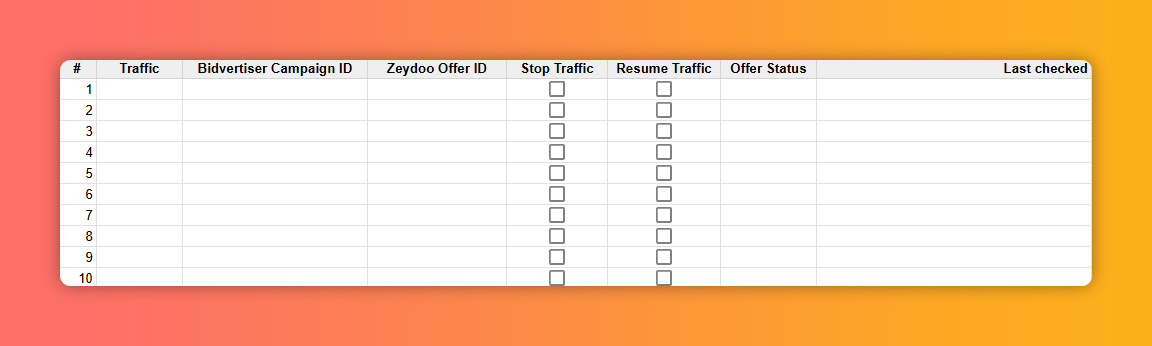
This is how the script looks like:
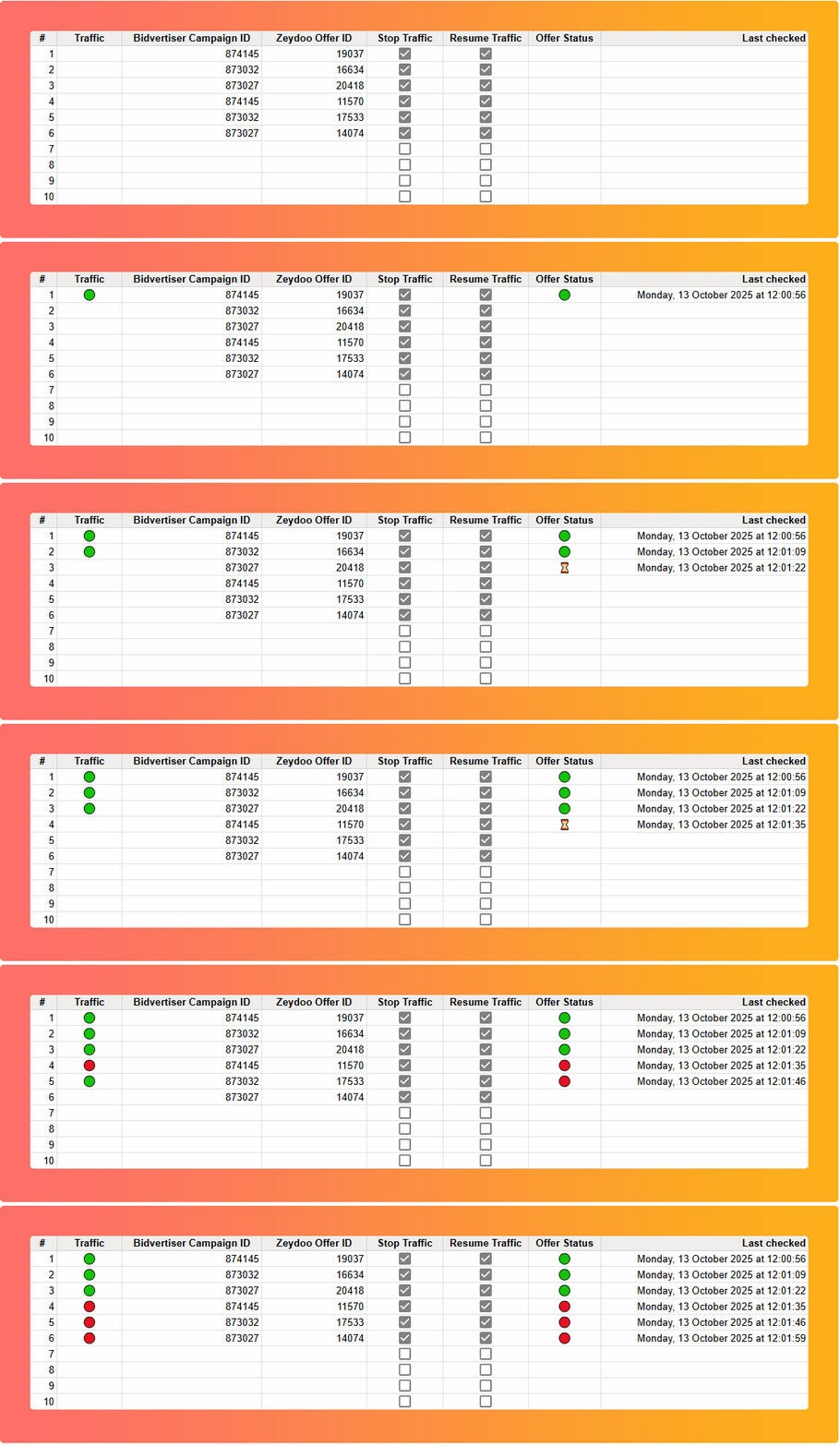
And when you add some offers and traffic source campaign in the sheet, this is how it works:
And here’s what you need to do:
How to use Google Sheets to check Monetizer offer status and start/stop traffic on BidvertiserThe script I’ve shared can check the status of the offer on @Monetizer and start or stop campaigns on Bidvertiser.
This month, I’ve decided to create a new script - this time it’s a Zeydoo + Bidvertiser combo! This script will check the status of the Zeydoo offer and will be able to start or stop campaigns on Bidvertiser traffic source.
This is how the script looks like:
And when you add some offers and traffic source campaign in the sheet, this is how it works:
And here’s what you need to do:
- Enter your Bidvertiser API key, username and password into the Configuration tab
- Get the Zeydoo API key
- Enter at least one Bidvertiser Campaign ID under column C
- Enter the Zeydoo offer ID you are promoting with that campaign under column D
- Check “Stop Traffic” if you want this script to stop the campaign on Bidvertiser when Zeydoo offer goes down
- Check “Resume Traffic” if you want to script to