




SpyLead
Contributor
- Joined
- Apr 30, 2024
- Messages
- 254
Step-by-Step Manual for Email Verification in Business Manager (Not to Be Confused with BM Verification)
Disclaimer: This material is for informational purposes only.
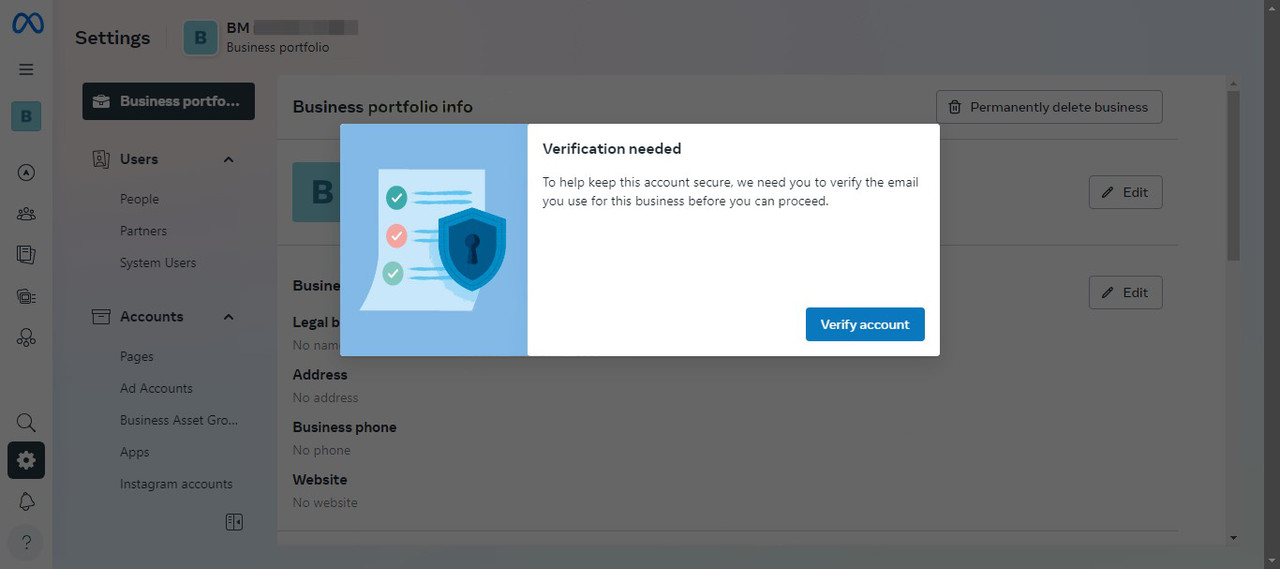
When you receive an email verification notification in Business Manager, it’s essential to have access to the email associated with the account. If you’ve lost access to it (e.g., a temporary email was used), follow this guide to replace the email and verify the new one.
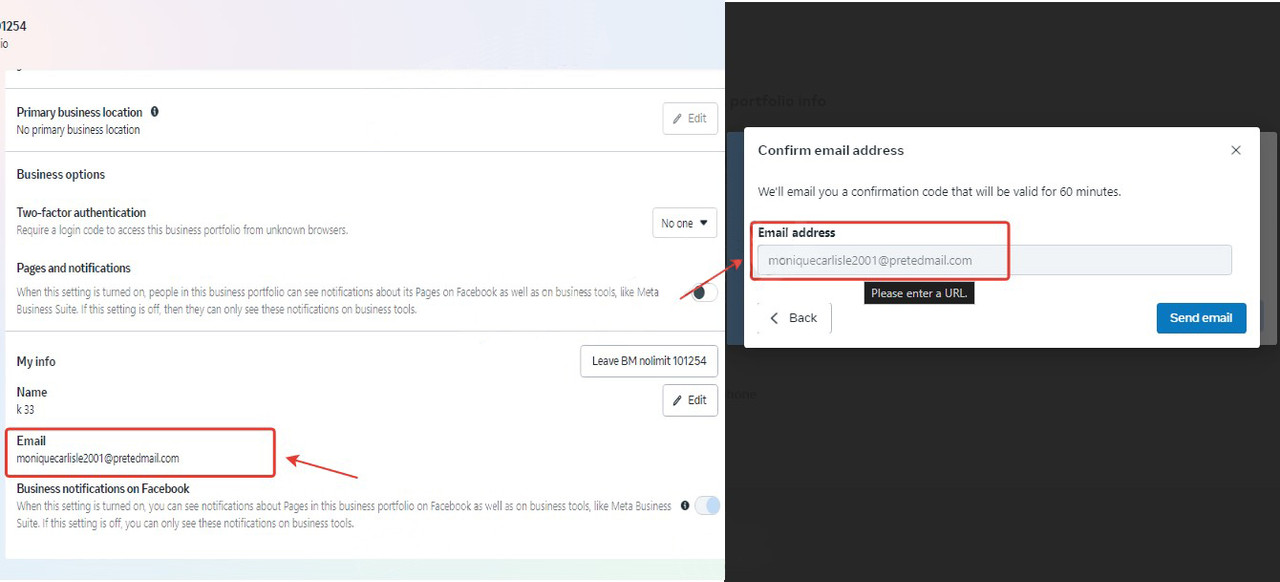
Removing the Verification Window Using Code
The email verification window prevents replacing the email. Here’s how to remove it:- Right-click anywhere on the screen and select “Inspect.”
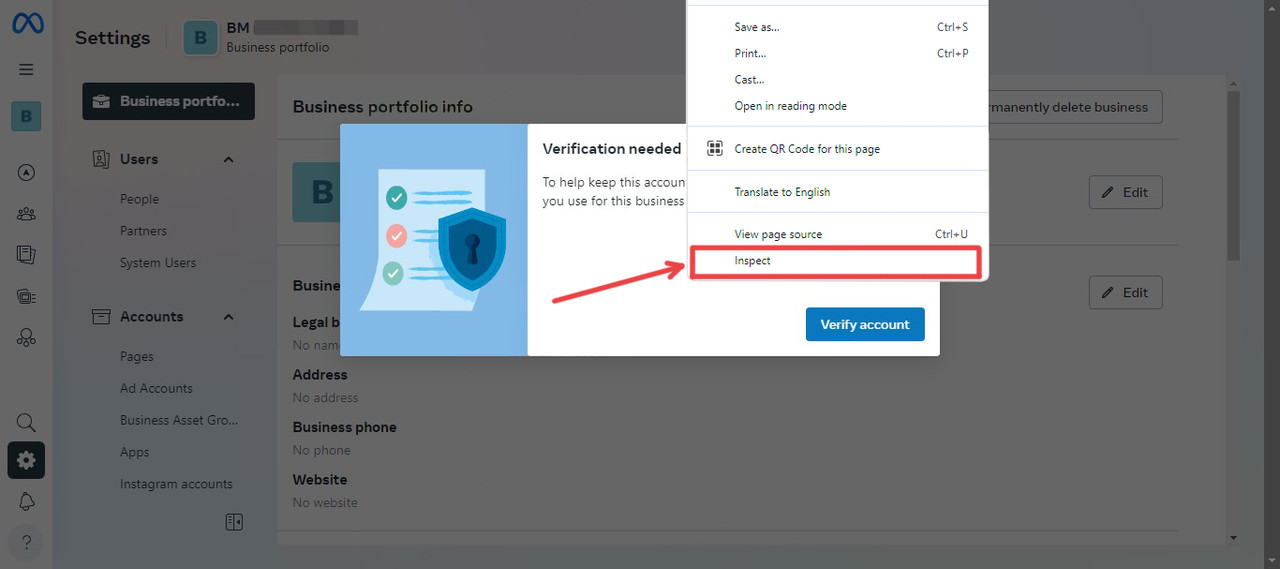
- Find the block <div data-visualcompletion="ignore">
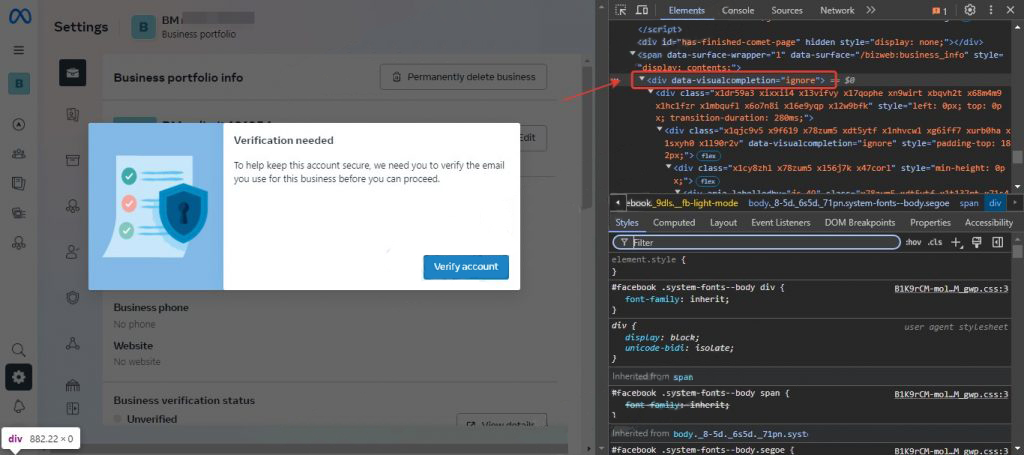
- Right-click the block and select “Delete element” or press the Delete key on your keyboard.
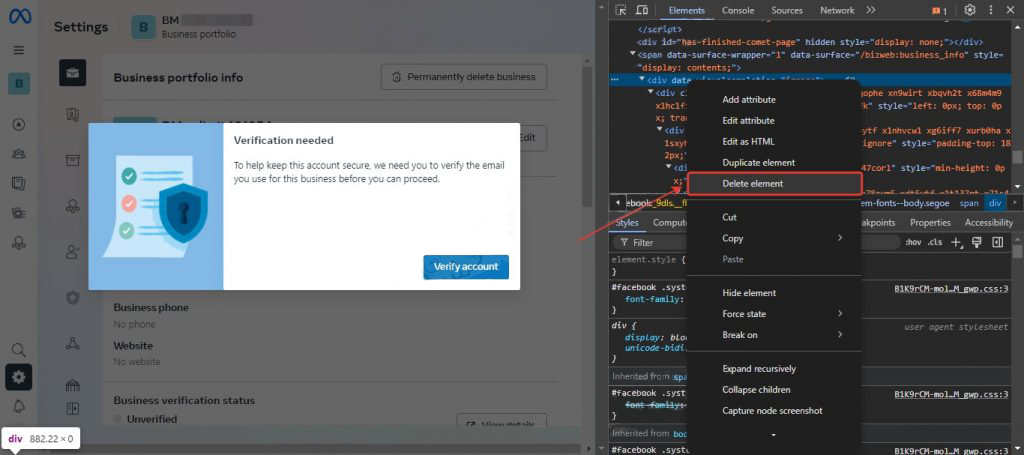
- Close the console after deleting the block.
Changing the Email Address in Business Manager
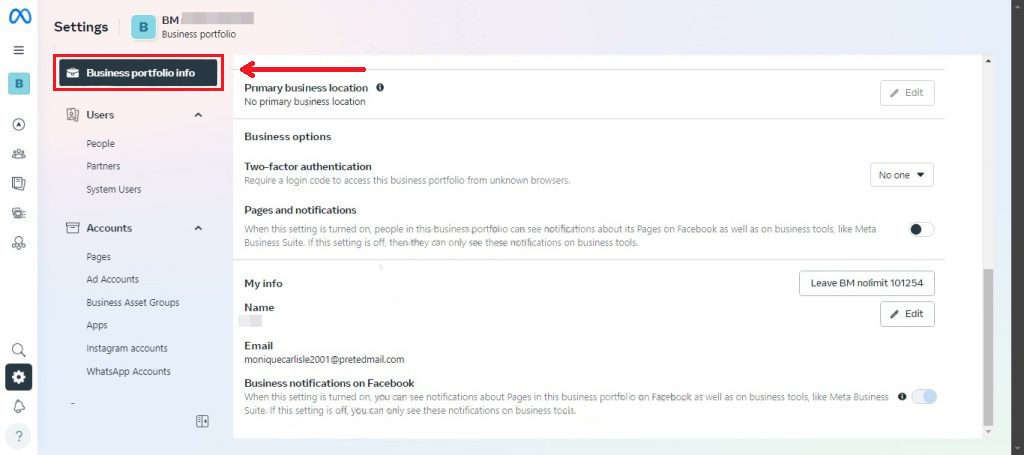
- Navigate to the “Business Portfolio Info” section.
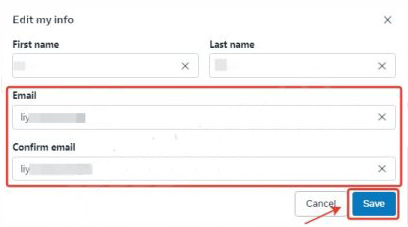
- Click “Edit” next to Email.
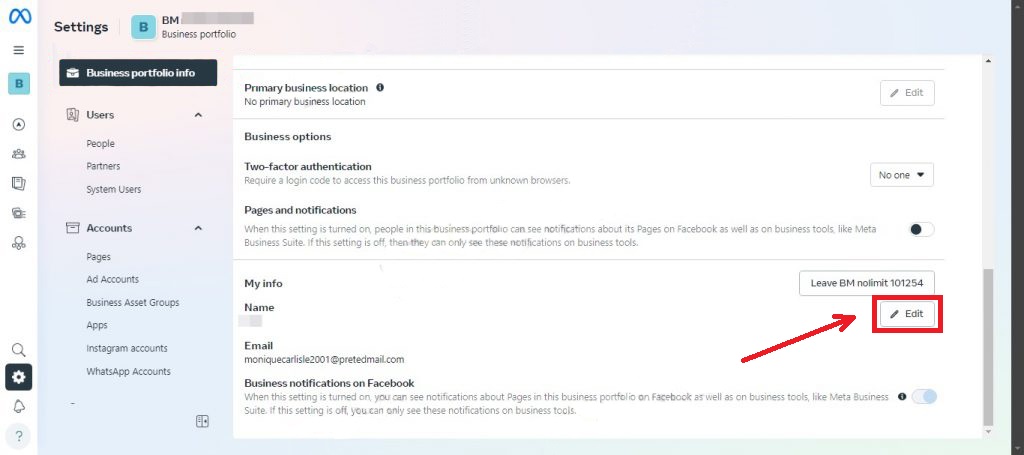
- Replace the email address with a new one and click “Save.
- Refresh


