



- Joined
- Jul 21, 2026
- Messages
- 4
Hey guys, compiled this guide. This is what I've been basically doing for years now, but with the latest tech it's way easier to create and own your landing pages. So here goes:
What this unlocks: own your lander code, deploy in minutes, cut recurring lander-tool costs.
Who it's for: some comfort with tools, not necessarily coding experience.
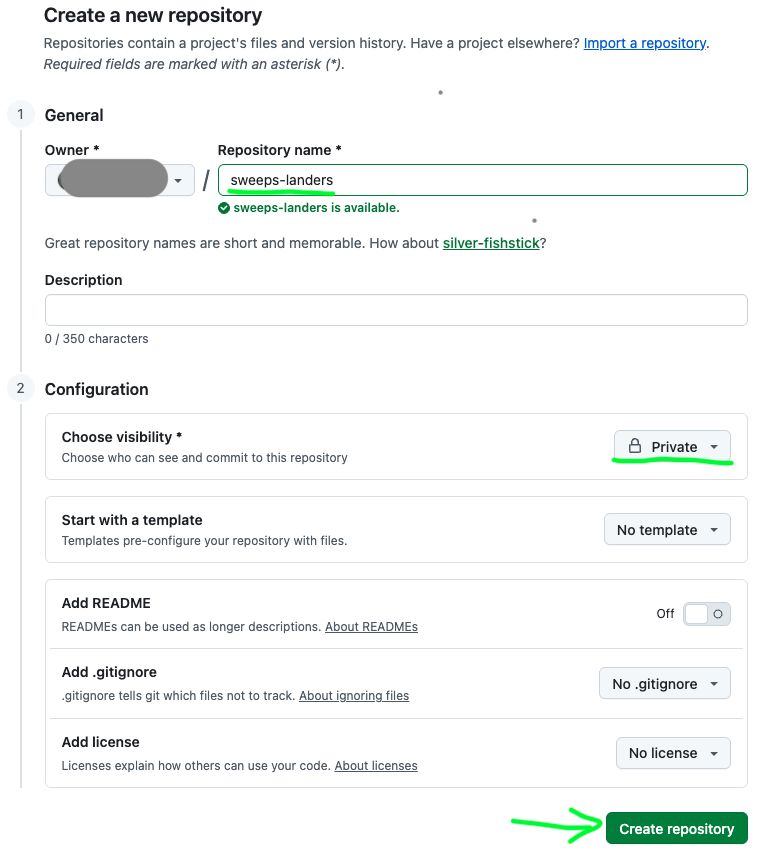
Create and clone your repo:
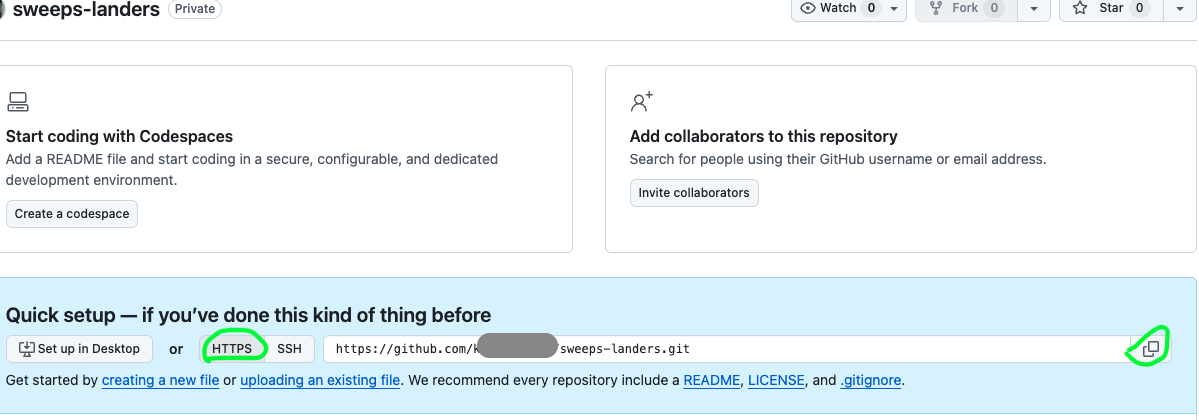
Next Copy the HTTPS Link:
Create a folder for Development/GitHub on your PC.
Open Cursor → File → Open Folder, select the folder you just created.
In Cursor: Terminal → New Terminal, then type "git clone " (with a space after clone) followed by the link you copied from GitHub:

Then
 Intro
Intro
What this unlocks: own your lander code, deploy in minutes, cut recurring lander-tool costs.
Who it's for: some comfort with tools, not necessarily coding experience.
 Prerequisites
- Node.js — nodejs.org (creates a coding environment on your laptop/PC)
- Coding agent — Cursor (free for limited prompts, then $20/mo and/or usage-based). Claude Code is a good 2nd alternative if you're already using it.
- GitHub account — github.com — free, just create an account
- Netlify account — free (or from $9/mo after certain limits) — netlify.com/pricing
- Domain provider — e.g. Namecheap
 Setup
Setup
Create and clone your repo:
Create a folder for Development/GitHub on your PC.
Open Cursor → File → Open Folder, select the folder you just created.
In Cursor: Terminal → New Terminal, then type "git clone " (with a space after clone) followed by the link you copied from GitHub:
Then